Headless CMS SEO: How to Get It Right
Headless CMS architecture can supercharge your SEO beyond traditional systems, but only if you navigate its unique challenges correctly
Understanding Headless CMS SEO
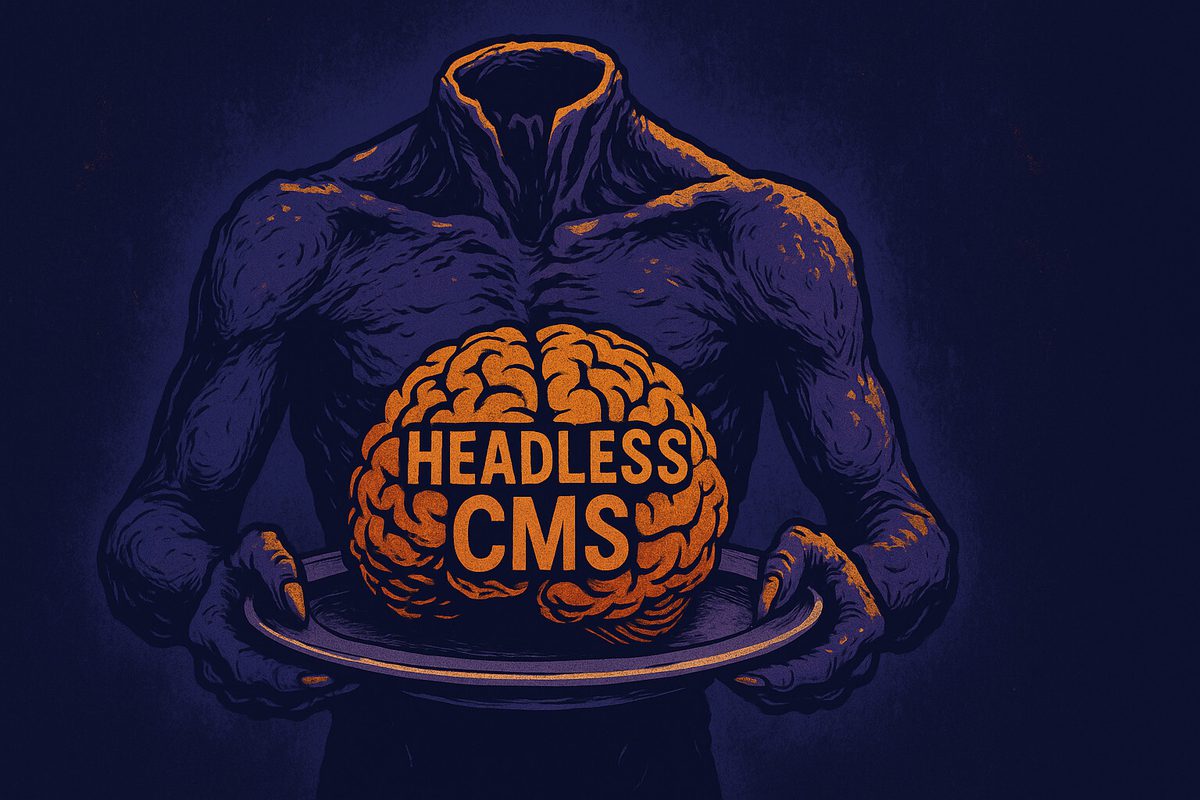
Imagine your website as a human body. In a traditional CMS setup, the head (frontend) and body (backend) are inseparably connected. This is like your typical WordPress site where content management and presentation are bundled together.
Now picture surgically removing that head while keeping the body functioning. Sounds like a horror movie, right? Well, welcome to the not-so-horrific world of headless CMS!
A headless CMS is essentially a content management system that focuses exclusively on storing and delivering content through APIs, without being concerned about how that content is presented to users. The "head" (the frontend presentation layer) is completely separated from the "body" (the content repository). This decoupling creates a content-first approach where your content exists independently of how it's displayed.
This architectural shift fundamentally changes how content flows to your users, and importantly, to search engines. In traditional setups, content travels a predictable path from database to rendered HTML.
With headless, your content becomes free-flowing, distributed through APIs and assembled at various endpoints, whether that's a website, mobile app, digital signage, or whatever new device emerges next Tuesday.
Websites implementing properly optimized headless architecture saw an average 18% improvement in mobile Core Web Vitals scores compared to their previous traditional CMS implementations.
But there are pros and some significant cons with SEO when you go headless.
Pros and Cons of Headless SEO
SEO Pros
This decoupling naturally brings some impressive SEO advantages. For starters, performance gets a serious boost. Headless architectures typically deliver lightning-fast experiences through modern JavaScript frameworks, static site generation, or server-side rendering. And as we all know, Google absolutely adores speed.
According to a 2024 study, websites using headless CMS architecture with proper rendering methods can achieve up to 30% faster load times compared to traditional CMS setups.
The omni-channel capability is another major plus. Your content can be optimized once and deployed everywhere, maintaining consistent SEO elements across all digital touch points. The flexibility to update your frontend without disrupting your content infrastructure means you can continually optimize the user experience without undergoing complete site overhauls.
SEO Cons
However, this architectural freedom comes with its challenges. Many traditional SEO tools and workflows that marketers have grown dependent on suddenly vanish. That familiar WordPress SEO plugin with its reassuring green lights? Gone. The built-in redirect manager? Disappeared. The visual editor that showed exactly how your meta description would appear in search results? A distant memory.
Search engines also interact differently with JavaScript-heavy implementations common in headless architectures. While Google has significantly improved its JavaScript rendering capabilities, there's still what's known as the "rendering gap", the delay between when Google discovers your content and when it actually renders and indexes the JavaScript-dependent elements. Other search engines might lag even further behind in this capability.
Furthermore, headless architecture can face a real issue when it comes to AI tools.
A Headache for AI SEO
When someone asks an LLM like ChatGPT, Claude, or Perplexity "what's the best [X]," those systems pull from pages they can actually read. Unlike Googlebot — which powers Google's AI Overviews and does render JavaScript through a dedicated two-wave crawl system — AI crawlers don't render JavaScript because it dramatically increases the cost and latency of retrieval. They read the raw HTML.
It's worth understanding that two separate processes are affected here. The first is training data, which is drawn from older caches of the web. The second is real-time retrieval. Both are limited by the same constraint: if your content only exists after JavaScript executes in the browser, neither process can see it.
Perplexity is worth singling out here. Unlike ChatGPT or Claude, which often draw from training data for general knowledge questions, Perplexity fetches live pages at query time. A client-side rendered shell gives it nothing to work with.
If your headless front end only assembles content in the browser, an AI crawler may see an empty shell and skip you entirely.
Some JS-heavy sites still appear in AI responses, but often via crawl caches or third-party text extraction services, meaning the content being cited could be months old and incomplete.
The truth is, server-rendered HTML is now the price of admission for AI SEO.
Technical SEO Elements
These need deliberate attention, because they no longer have default locations. Your robots.txt, XML sitemaps, and structured data must be generated programmatically at build time for static sites, or via API endpoints for frequently-updated content.
Heading hierarchy and semantic HTML still matter enormously, but the responsibility now sits entirely with your front end. Your content model should distinguish heading levels clearly, and your components must render them with the right tags (h1, h2, and so on). These fundamentals are surprisingly easy to lose in the excitement of building something cutting-edge.
Image optimization is its own challenge: your model should require alt text on every image, while delivery (responsive sizing, format, compression) usually runs through an image CDN or transform service like Cloudinary, Imgix, or Craft's own image transforms.
Essential SEO Components to Configure in Your Headless CMS
When transitioning to headless, you'll need to recreate the SEO infrastructure you previously took for granted. Start by structuring metadata management within your content models. This means explicitly creating fields for SEO elements within your content types.
For example, your "Blog Post" content type should include dedicated fields for title tags, meta descriptions, and canonical URLs. These fields should come with character count indicators and preview functionality to guide content creators. Think of it as building your own SEO plugin, piece by piece.
contentType: "blogPost" {
fields: {
title: String (required),
content: RichText,
seoTitle: String (max: 60),
seoDescription: String (max: 160),
canonicalUrl: String (format: url),
...
}
}
On Craft specifically, you don't build this from scratch. SEOmatic handles metadata, schema, sitemaps, and redirects, and exposes it all through GraphQL so your front end can render it server-side.
Overcoming JavaScript SEO Challenges in Headless Environments
The "JavaScript rendering gap" is the crux. When a crawler hits a traditional HTML page, it reads the content immediately. In fact, Google's JavaScript rendering has improved to the point where roughly 98% of JavaScript-heavy sites are correctly indexed — but with an average 5–7 day delay versus HTML-only pages.
With client-rendered JavaScript, there's a two-phase process: the crawler first sees a bare HTML shell, then — sometimes much later — renders the JavaScript to discover the real content. That gap delays indexing and can dent rankings, and as noted above, some AI crawlers never close it at all.
To address this, you have three primary architectural options, each with distinct SEO implications:
- Client-side rendering (CSR) — the browser builds the page. Simple to develop, worst for SEO: engines and AI crawlers see almost nothing on first response. Avoid for anything you want found.
- Server-side rendering (SSR) — the server renders complete HTML per request. Full content for crawlers and users; slightly higher server load and time-to-first-byte.
- Static site generation (SSG) — pages are pre-built at deploy time. The SEO benefits of server rendering with the speed of static files. Ideal for content that isn't changing by the second.
Many modern builds use a hybrid approach called incremental static regeneration (ISR) — static generation for most pages, with selective rebuilds when content changes.
The rule of thumb: anything you want indexed or cited must arrive as server-rendered HTML.
Building Effective Content Workflows for SEO in Headless Systems
One of the most jarring transitions for content teams moving to headless is the loss of immediate visual feedback. In traditional CMS platforms, what you see in the editor closely resembles what users (and search engines) will see. In headless systems, this connection is broken.
To address this, create content preview environments that include SEO elements. These previews should render your content exactly as it will appear on your live site and include visual indicators for SEO elements, which show how title tags will truncate in search results. For example, they will highlight missing alt text on images, etc.
Content governance takes on new importance in headless environments. Develop clear style guides and templates that incorporate SEO best practices, and consider implementing validation rules that prevent content publication when critical SEO elements are missing. For instance, you might block publishing if meta descriptions exceed character limits or if images lack alt text.
URL structures and redirects: Typically handled automatically in traditional CMS platforms, they now require explicit management. Your headless CMS should include a redirect management system that works with your frontend routing solution. Some teams maintain redirect maps as part of their codebase, while others store them in the CMS or a dedicated service.
Measuring SEO Performance in Headless Architectures
Once your headless site is live, tracking performance becomes critical. Implementing analytics in headless environments typically involves both client-side and server-side tracking to capture the complete user journey. Google Analytics 4's event-based model works well with headless architectures, but requires careful implementation to avoid data loss during page transitions in single-page applications.
For tracking rankings and visibility, the same external tools used for traditional sites (Semrush, Ahrefs, Google Search Console, etc) remain valuable, but you'll want to segment data to isolate the impact of architectural changes from content changes. This is particularly important during migration periods when you might be running both headless and traditional sites simultaneously.
Core Web Vitals monitoring deserves extra weight: the performance headless promises only materializes with disciplined front-end work. Pair field data (Chrome UX Report, via Search Console) with lab data such as Lighthouse or WebPageTest. (Chrome has a built-in Lighthouse audit - right click the page, select inspect, and navigate to the Lighthouse tab.)
You should also use Search Console's URL Inspection to view the rendered HTML, as it's the single fastest way to confirm crawlers actually see your content.
A/B testing SEO changes becomes more complex but also more powerful in headless environments. The ability to deploy different frontend implementations against the same content API allows for clean testing of rendering approaches, layout changes, and UX modifications.
Just ensure your testing approach doesn't create duplicate content issues or confuse search engines with rapidly changing implementations.
Real-World Success: Headless CMS SEO Case Studies
Implementing SEO in a headless CMS environment isn't simply about replicating what worked in traditional systems, it's about leveraging the unique advantages of decoupled architecture while addressing its specific challenges. The flexibility, performance, and scalability benefits of headless systems can actually become powerful SEO assets when properly harnessed.
The key lies in intentional planning. Build SEO considerations into your content models from the start, select the right rendering approach for your specific needs, and establish workflows that maintain SEO best practices throughout the content lifecycle. While the initial learning curve might feel steep for teams accustomed to all-in-one CMS solutions, the payoff in site performance and flexibility makes the effort worthwhile.
As search engines lean harder on experience signals — and as AI answers become the first thing many customers see — the advantages of a fast, well-architected headless build only grow. Master this now and you're not just solving today's SEO; you're positioning for how people will find you next.
Ready to take your headless CMS' SEO to the next level? Start by auditing your current implementation against the strategies outlined above, and systematically address any gaps you discover. Your search rankings, and your users, will thank you.
Continue reading.
The Element API plugin is a very powerful tool that you can use for quickly exposing your data structures to an external source.
Read more

A brief introduction to consensus mechanisms and why proof of stake is the right move for Ethereum.
Read moreLet's chat about your project
Ste 700
Portland, OR 97214